Practice management for service firms · Built and hosted in Australia
Every job in one record. Nothing falls through.
LeanWork brings your firm's clients, jobs, repeating deadlines, time and documentation into a single calm workspace, so the job record is always the source of truth.
14 days free. No card needed. For accounting, IT, legal and other professional services teams.
01 — The problem
Most firms run on five tools and a good memory.
Work sits in a spreadsheet. The context sits in someone's inbox. The deadline sits in someone's head. When that person is away, nobody knows where a job is up to.
The job spreadsheetwho updated it last?Client emailsburied in one inboxThe whiteboardonly works in the officeA separate time trackernot linked to the clientRemembering to set up next quarteruntil someone forgets- One job record, shared by the whole team
02 — What's inside
Everything a client job needs.
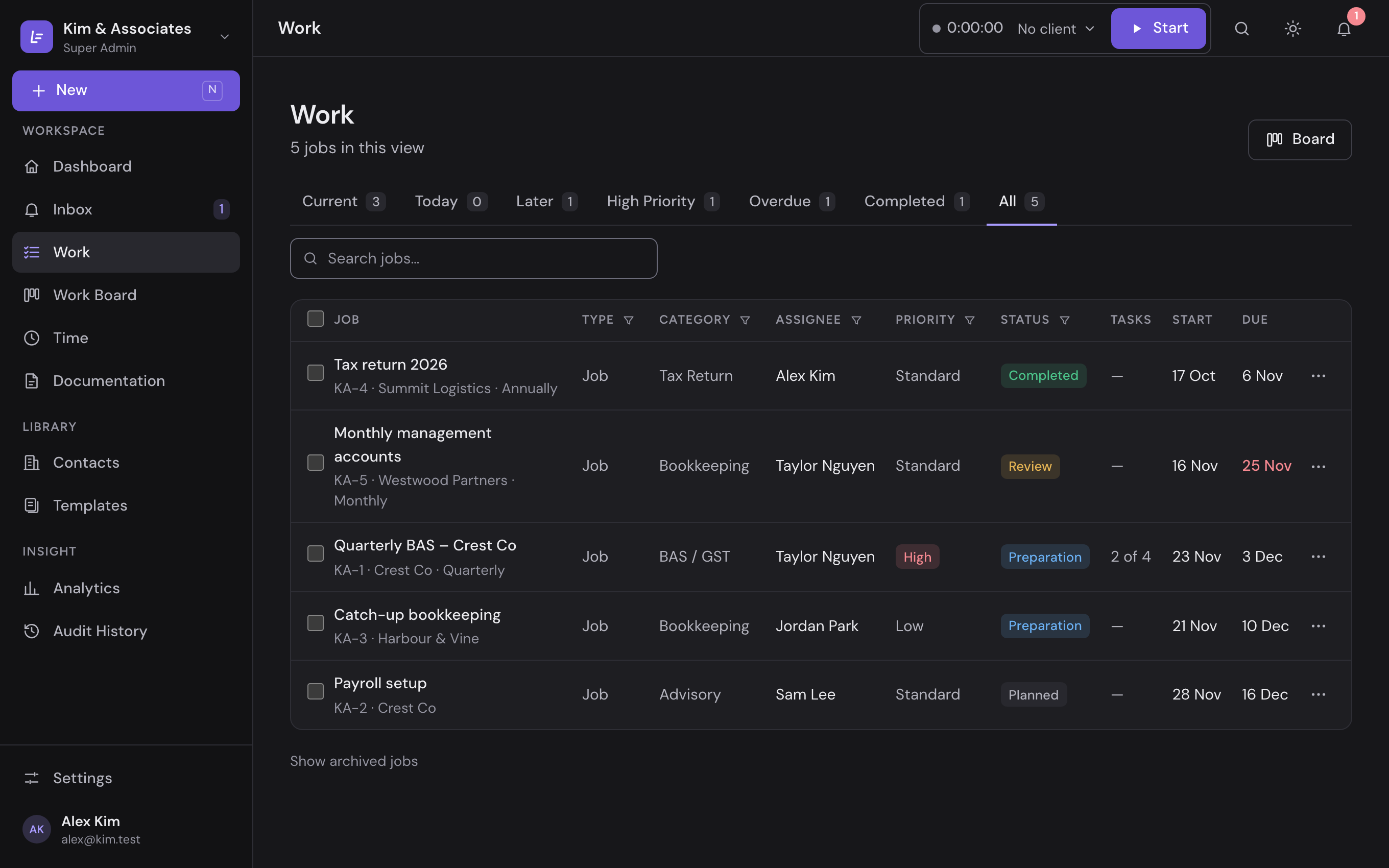
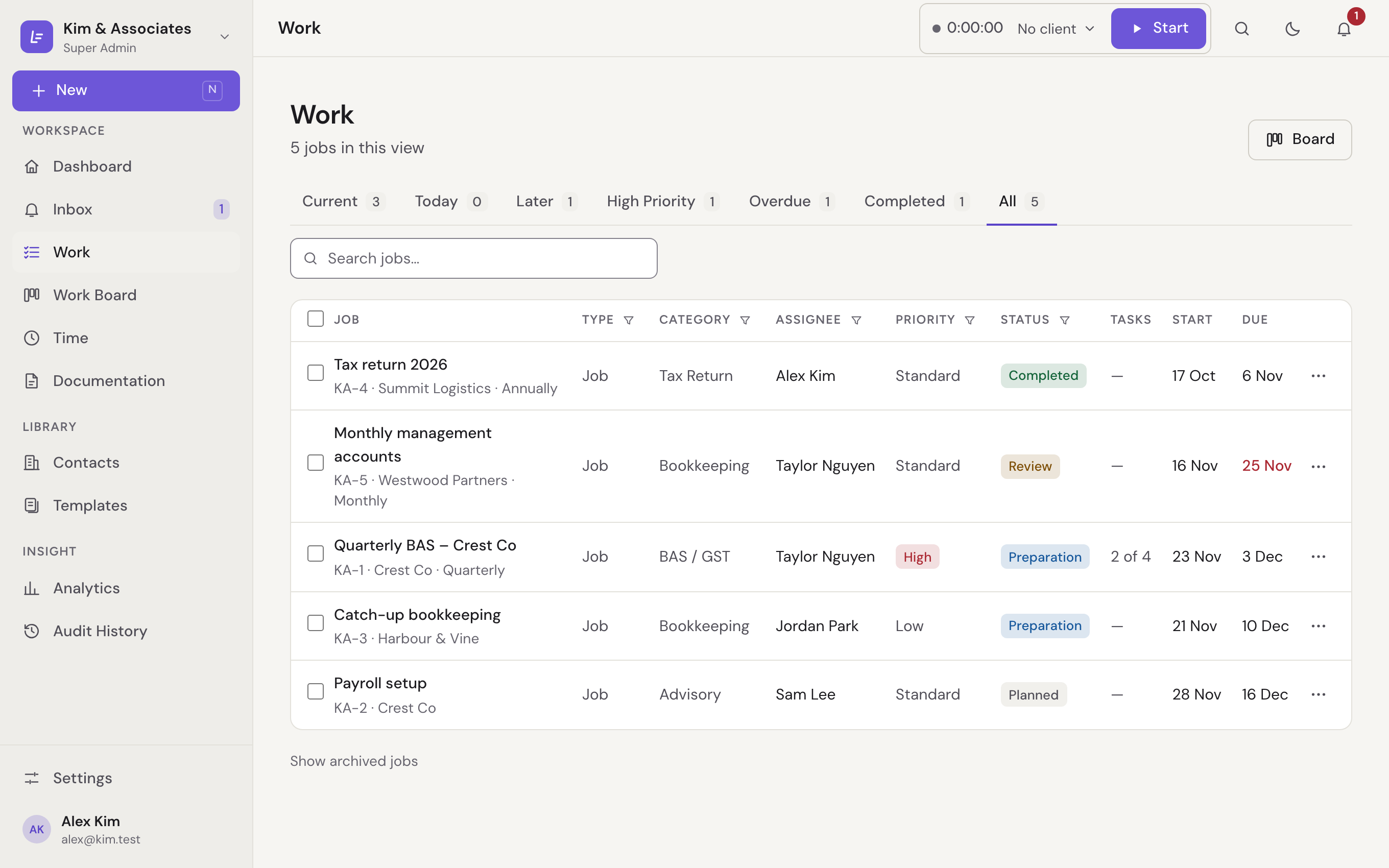
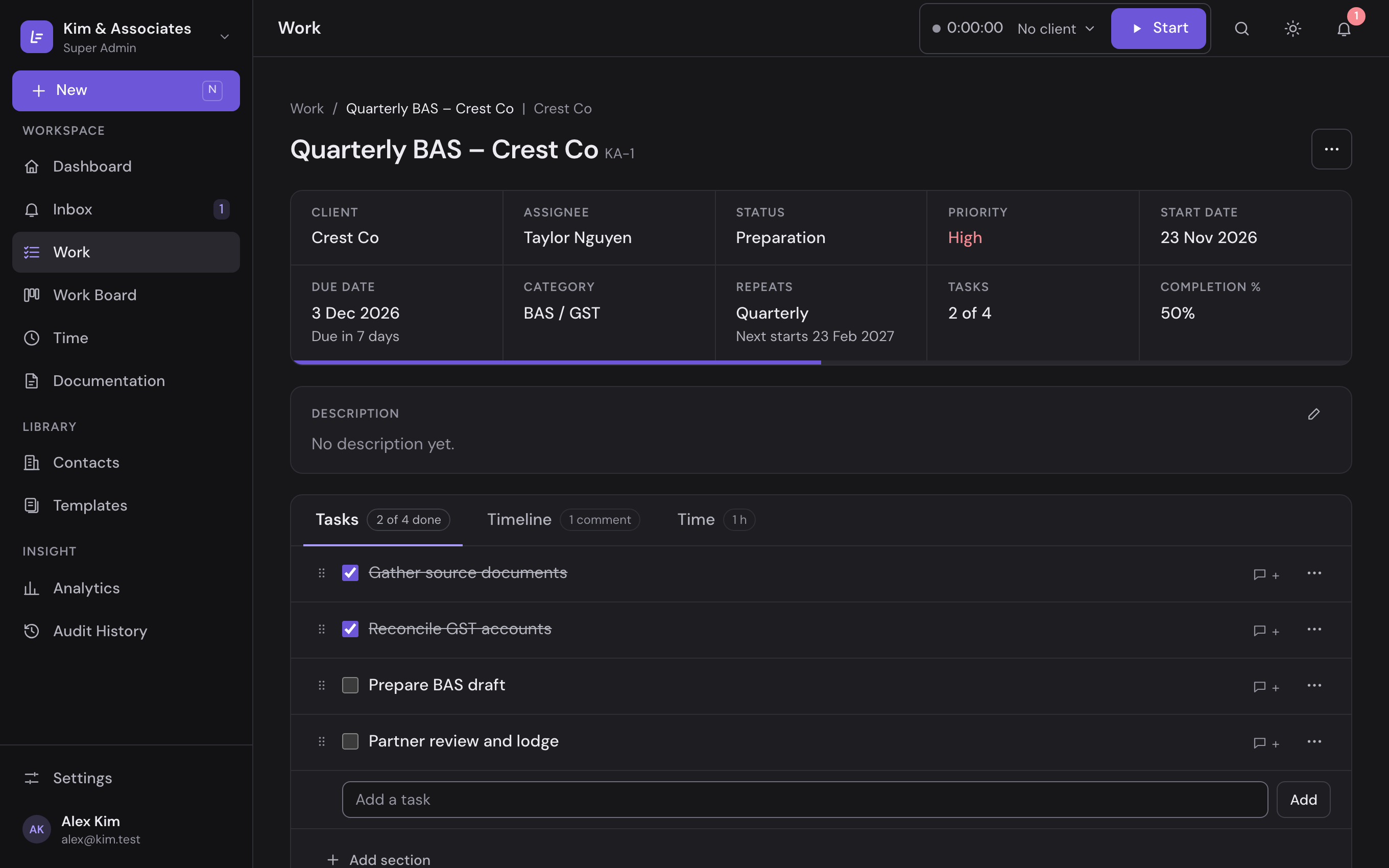
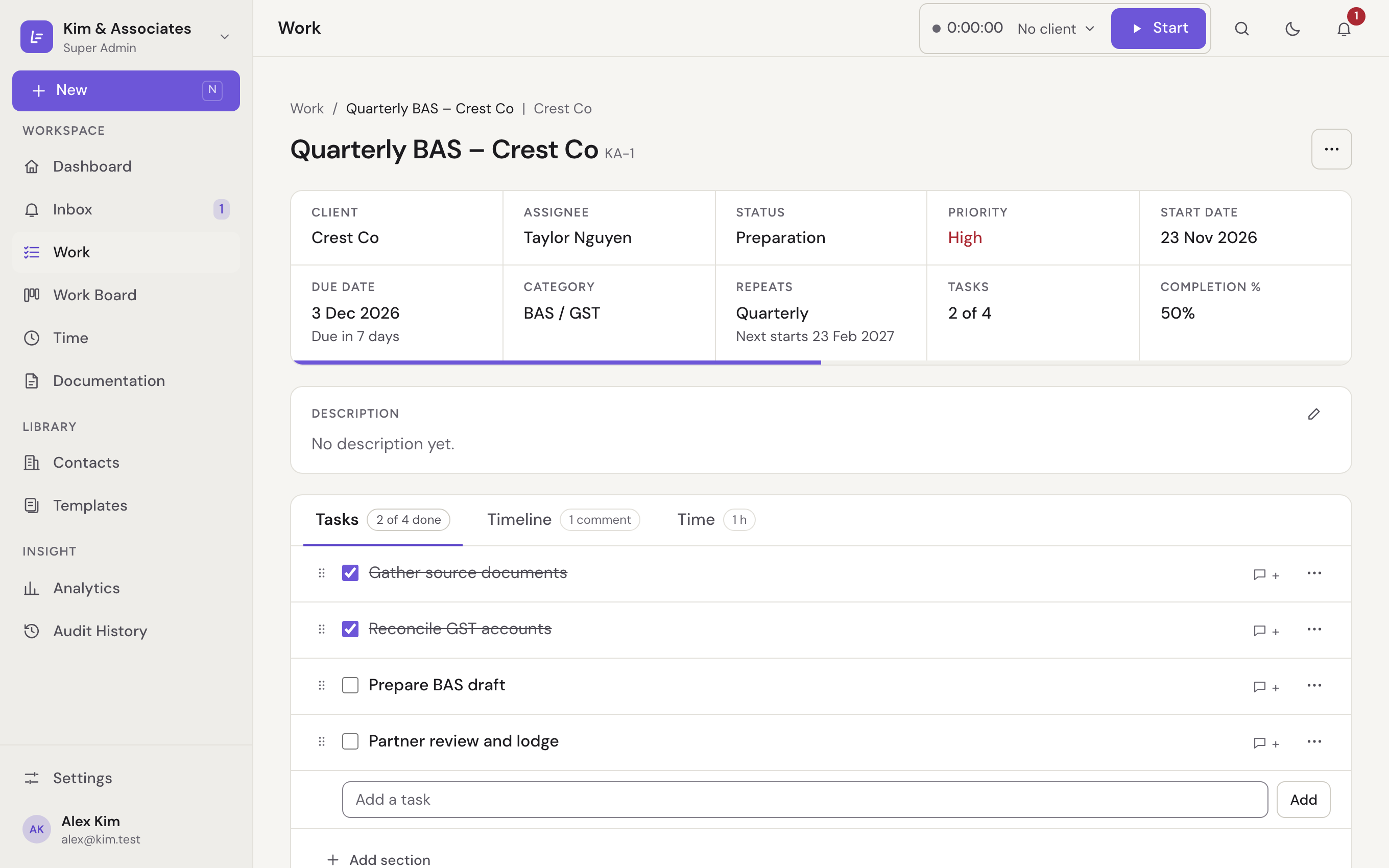
These are pictures of LeanWork itself, with a sample firm's work in it.
One job, the whole story
Every job has a client, an owner, a status and a due date. Open it and everything about it is there, not spread across an inbox and a spreadsheet.
- Tasks in sections, each with its own assignee, dates and instructions
- A timeline of everything that has happened, with comments and replies
- Quick action items for the small things that still need a home
See where everything is up to
The same jobs as a board. Group them by status, team member, category or priority, and drag a card to move it on.
- Opens on your own work; one choice shows the whole team
- Overdue jobs stand out, and each card shows how far its checklist has got
- A list view with filters in every heading, for when you want a table
Told what needs you, and nothing else
When you are given a job or a task, when someone comments on your work, and when something is due, it arrives in your Inbox.
- Read it, reply to it and clear it without leaving the page
- Choose which things you are told about
- Clearing the last one is worth a small celebration
A timer that follows you around
Start it from the top of any page. When you stop, the time is filed against the client and the job it was for.
- Start and finish times are recorded, not only a total
- Mark time billable or not, and add time afterwards
- A summary by day, or a detailed table to filter and export
What your team knows, written down
Procedures for the whole firm, and notes about each client, written in a proper editor and found by one search.
- Headings, checklists, tables and links, with drafts until you publish
- Filed against a client, or kept for the firm
- Turn a procedure’s steps into the checklist of a job
Everything about a client in one place
Clients, prospects and suppliers, each with its people, its work, its time, its documentation and its file notes.
- Your own tags and fields, set up the way your firm works
- The people you deal with there, and who on your team looks after them
- A comment on a job can be kept on the client’s file as a file note
Set up repeating work once
Turn the jobs you repeat into templates. Set a job to repeat and LeanWork creates the next one, so nobody has to remember to.
- Templates list their sections and tasks in the order you do them
- Weekly, monthly, quarterly or yearly, created ahead of time and named from their dates
- A library of ready-made templates to copy and make your own
The right access, and a record of everything
Decide what each person can do and which clients they can see. Every change is kept in an audit history nobody can alter.
- Permissions set person by person, starting from a role
- Bring in a contractor for one client’s work and nothing else
- Two-step sign-in for everyone, and required for the whole firm if you choose
03 — For your firm
Shaped to your kind of firm.
The core is the same for every firm: clients, jobs, time and documentation. What you call your work, and what you record about a client, is up to you.
Accounting and bookkeeping
Your work might be
- Tax returns
- BAS
- Payroll
- Month end
On each client
Entity type, year end, BAS cycle, accounting software
IT services
Your work might be
- Onboarding
- Maintenance
- Security reviews
- Procurement
On each client
Number of staff, domain, email platform, contract renewal
Legal and consulting
Your work might be
- Matters
- Retainers
- Reviews
- Advice
On each client
Industry, referred by, contract renewal, key dates
- Your own categories, tags and fieldsCall your work what you call it, and record what your team needs to see on a client. Setup offers suggestions for your kind of firm, added with one click.
- Templates for the work you repeatBuild your own, or start from the library and change it.
- Access that fitsA full team member, or a contractor who sees one client’s jobs and documentation and nothing else.
- More than one firmOne sign-in for every organisation you belong to, each kept entirely separate.
04 — Your data
Client information deserves care.
How LeanWork looks after your firm's records, in plain words. The detail is on the Data handling page.
- Location
Stored and run in Australia
LeanWork’s database is in Sydney, and the application runs in Sydney.
- Isolation
Your firm’s records are yours alone
Each firm is kept apart by rules in the database itself, not only in the screens, and those rules are tested every time LeanWork changes.
- Accountability
Everything on the record
Permissions for each person, and an audit history of every change that nobody in the firm can alter.
- Sign-in
Two steps, if you want them
Two-step sign-in for anyone, required for everyone if the firm chooses, and an email when your account signs in from a new browser.
- Portability
Take it all with you
Download everything your firm holds, any time, as spreadsheet files and text. No request to make, and nobody to ask.
- Leaving
Close it, and it is deleted
Close your organisation and it is kept for 30 days in case you change your mind, then permanently deleted.
05 — Questions
Before you start.
- What does the trial include?
- Everything, for 14 days, for as many people as you invite. It needs no payment card and nothing is charged.
- What happens when the trial ends?
- If you have not started a plan, your organisation becomes read only. Nothing is deleted: you can still read and download everything, and starting a plan turns it all back on.
- What does it cost?
- One price covers everything in LeanWork, and follows the number of people in your firm. The Pricing page has the figures and works out yours.
- Where is our information kept?
- In Sydney, Australia. A few of the companies that help run LeanWork handle limited information overseas, such as the emails it sends. Each is listed on the Sub-processors page with what it handles.
- Can we get our records out?
- Yes, at any time. Your Super Admin downloads everything the firm holds as one file: each list as a spreadsheet file and each document as text.
- Can a contractor or a client’s bookkeeper use it?
- Yes. Invite them as a collaborator and choose the clients they can see. They see nothing of the rest of your firm.
- Is LeanWork only for accountants?
- No. It is built for professional services firms: accounting, bookkeeping, IT services, legal, consulting. You name your own kinds of work and what you record about a client.
06 — Get started
Up and running in an afternoon.
Create your account
Your name, your email and a password. The trial is 14 days and needs no card.
Set up your firm
A few minutes: its details, your categories and tags, with suggestions for your kind of firm. Every step can be skipped.
Bring in your team and your work
Invite people with the access each should have, add a client, and create your first job.
Start your free trialAlready have an account? Sign in